
Cognitive Pace Computing – When Technology Slows Down to Match Human Thought
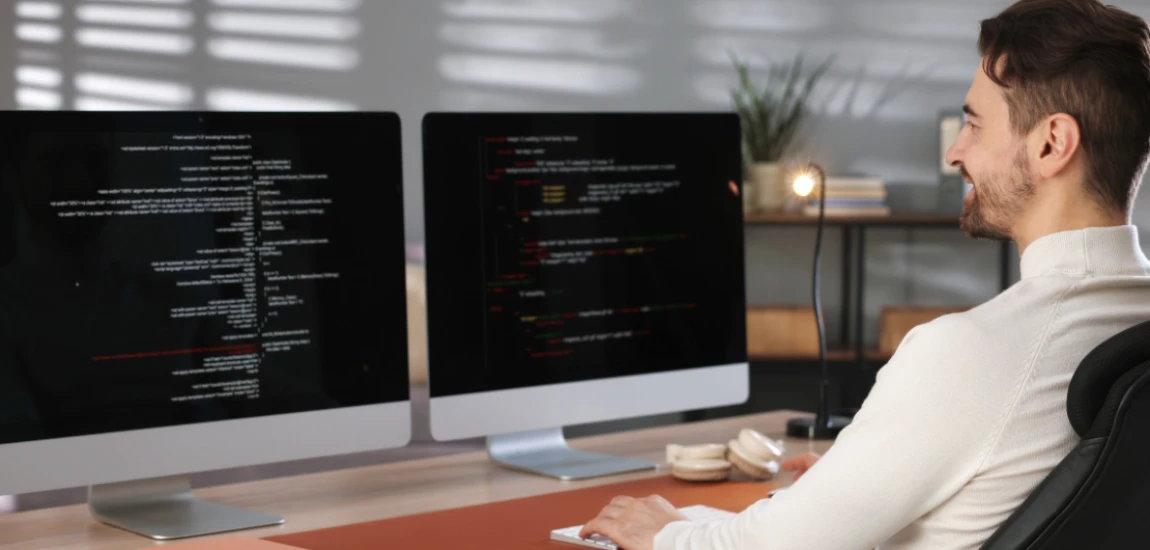
Modern technology often prioritizes speed, efficiency, and engagement, assuming that users can keep up with constant notifications, updates, and multitasking. In reality, human cognition has natural limits, and software that demands rapid attention often overwhelms users, leading to stress, mistakes, and digital fatigue. Cognitive Pace Computing is an approach designed to address this mismatch by creating tools that operate in sync with human thought processes rather than forcing users to match the speed of machines.
The philosophy centers on slowing down technology where appropriate—staggering notifications, pacing task completion, and designing interfaces that reflect the natural flow of human attention. For example, a project management tool might automatically stagger reminders instead of pushing all tasks at once, while a learning platform could space content delivery to match a user’s comprehension speed. By aligning with human rhythms, Cognitive Pace Computing reduces cognitive load, supports mental well-being, and fosters deeper engagement and trust in technology.
Ultimately, this approach doesn’t sacrifice productivity—it enhances it. Users can focus, reflect, and act more intentionally when technology respects their natural pace, creating a more sustainable and humane digital environment.
Understanding Cognitive Pace Computing

Human cognition vs. software speed
Humans process information in limited batches. Attention, working memory, and decision-making are finite resources, and software that pushes information faster than these systems can handle leads to overload. Cognitive Pace Computing recognizes these limitations and designs workflows that operate at human-friendly speeds. For instance, AI assistants that summarize important updates rather than sending every alert immediately help users absorb information at a manageable pace.
Aligning digital workflows with thought patterns
Effective cognitive pacing means structuring tasks in ways that match human mental processing. Instead of bombarding users with options or notifications, systems present manageable steps, introduce complex information gradually, and offer guidance when users are cognitively ready. For example, productivity apps can use “focus modes” to pause secondary notifications, allowing the user to process tasks without distraction.
The benefits of slow, mindful technology
Slowing technology enhances comprehension, reduces stress, and improves decision-making. Users feel less pressured, which in turn increases satisfaction, engagement, and trust in the software. Cognitive Pace Computing transforms the user experience from reactive to intentional, fostering long-term efficiency and sustainable interaction.
The Problem with Fast-Paced Technology

Cognitive overload and fragmented attention
Rapid updates, alerts, and dynamic interfaces often divide attention across multiple tasks, making it difficult for users to focus. This fragmentation diminishes working memory capacity and slows meaningful task completion. Systems that force simultaneous attention contribute to error rates and reduce the quality of outcomes.
Emotional and physiological effects
Constant speed and interruption in technology lead to stress, anxiety, and mental fatigue. Users may feel pressure to respond immediately or fear missing critical information, which creates emotional strain. Over time, this contributes to digital burnout and disengagement.
Decreased long-term productivity
Although fast-paced systems may improve short-term efficiency or engagement metrics, they often hinder long-term performance. Users who cannot process information fully make mistakes, forget details, or disengage from the tool entirely. Cognitive Pace Computing addresses this by slowing interactions to match human processing capabilities, improving quality over quantity.
Core Principles of Cognitive Pace Computing

Adaptive pacing
Cognitive Pace Computing adjusts software behavior based on user interaction speed, attention patterns, and task complexity. This may involve delaying low-priority notifications, batching tasks, or gradually introducing new information. Adaptive pacing ensures users engage with software at a comfortable rhythm rather than being rushed.
Minimal decision pressure
Every digital interaction requires cognitive effort. Reducing unnecessary choices, highlighting priority actions, and deferring low-value tasks allows users to act deliberately instead of reacting under pressure. Systems can guide decisions subtly without forcing instant responses.
Interfaces designed for natural rhythms
Cognitive Pace Computing integrates visual and workflow cues aligned with human attention patterns. Simplified layouts, clear hierarchies, and subtle highlights help users process information efficiently. Interfaces designed this way promote calm, intentional interaction while maintaining functionality.
Real-World Applications of Cognitive Pace Computing

Productivity and workflow tools
Project management software, intelligent calendars, and task trackers that pace notifications and reminders enhance focus and prioritization. Users can tackle tasks sequentially without feeling overwhelmed by multiple demands at once.
Learning and educational technology
Educational platforms that space content delivery, provide reflection prompts, and stagger assessments improve comprehension and retention. Students can process and internalize information effectively, reducing cognitive overload and enhancing learning outcomes.
AI and intelligent assistants
Digital assistants can use Cognitive Pace Computing to manage timing and delivery of suggestions, reminders, or updates. For example, a virtual assistant may highlight critical emails immediately but defer minor tasks to a less busy moment, preserving user attention for high-priority work.


Derek Baron, also known as "Wandering Earl," offers an authentic look at long-term travel. His blog contains travel stories, tips, and the realities of a nomadic lifestyle.
Derek Baron

Prev Post
Next Post