
Cognitive Load in Software: Why Most Apps Feel Exhausting
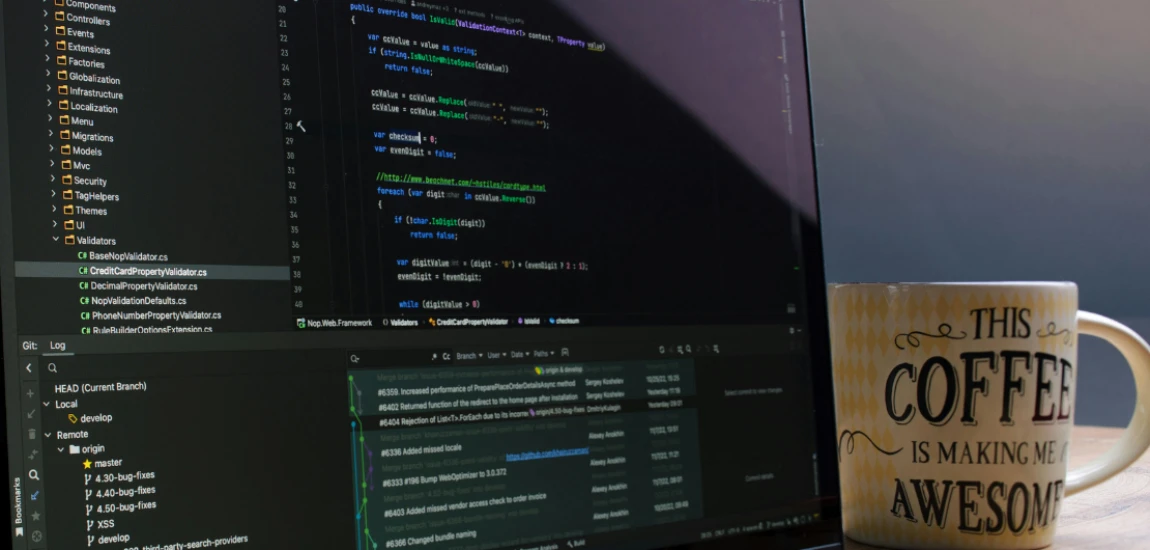
Most software isn’t physically demanding, yet people finish using apps feeling tired, irritable, or mentally scattered. The exhaustion doesn’t come from effort—it comes from cognitive load. Every tap, notification, decision, and interface shift pulls from limited mental resources. Over time, even “simple” apps begin to feel draining.
Cognitive load in software refers to how much mental effort is required to understand, operate, and maintain context while using a digital product. When that load exceeds what users can comfortably manage, friction appears. Tasks feel harder than they should. Mistakes increase. Users disengage.
Modern software often assumes users have infinite attention. In reality, people arrive already cognitively taxed—from work, messaging platforms, and constant context switching. Apps that add complexity instead of absorbing it create fatigue rather than value.
This article explores why cognitive load has become so high in modern software, how it manifests in everyday app usage, and what designers and users can do to reduce mental strain. Understanding cognitive load isn’t just a UX concern—it’s central to digital well-being.
What Cognitive Load in Software Actually Means

The three types of cognitive load
Cognitive load is commonly divided into three categories: intrinsic, extraneous, and germane. Intrinsic load comes from the task itself—some tasks are naturally complex. Extraneous load comes from how information is presented. Germane load supports learning and understanding.
Most software problems come from extraneous cognitive load. Poor layout, unclear navigation, and unnecessary choices force users to think harder than the task requires.
Mental effort beyond task difficulty
Using an app should focus attention on the goal—sending a message, managing finances, or editing a document. When users must also remember where things are, interpret icons, dismiss interruptions, and correct errors, cognitive load multiplies.
Cognitive load in software is about everything the user must hold in their mind simultaneously.
Why load accumulates invisibly
Unlike physical strain, mental strain builds quietly. Users often blame themselves for feeling tired or confused instead of recognizing poor design. Over time, they avoid certain apps—not because they’re useless, but because they’re exhausting.
Why Modern Apps Create Excessive Cognitive Load

Feature accumulation without removal
Many apps grow by addition, not refinement. New features pile onto old ones without removing anything. Each feature adds menus, settings, and decisions—whether or not most users need them.
This accumulation increases mental overhead even if features are rarely used.
Interface density and visual noise
Crowded screens, competing visual elements, and inconsistent layouts demand constant attention. Users must scan, filter, and prioritize information continuously.
Visual noise is one of the fastest ways to increase cognitive load in software.
Design for engagement, not clarity
Many apps are optimized for time-on-screen rather than ease-of-use. Notifications, infinite scroll, and alerts fragment attention. Instead of supporting focus, software competes for it.
This design philosophy turns everyday tools into sources of mental fatigue.
Decision Fatigue Inside Digital Products

Too many choices, too little guidance
When apps present users with endless options without defaults, decision fatigue sets in. Users must evaluate every choice, even when the stakes are low.
Cognitive load increases not because decisions are important, but because they are constant.
Configuration overload
Settings panels filled with toggles and preferences offload design decisions onto users. Instead of designing for ease, software asks users to optimize their own experience.
This shifts cognitive responsibility away from designers and onto already-tired users.
The cost of micro-decisions
Each micro-decision—dismiss this popup, choose this option, confirm this action—seems small. But collectively, they exhaust mental energy. Reducing decision frequency is key to lowering cognitive load.
Context Switching and Attention Fragmentation

Interruptions as default behavior
Notifications, alerts, and badges interrupt users mid-task. Each interruption forces the brain to switch context, then reorient afterward. This process is mentally expensive.
Frequent context switching is one of the largest contributors to cognitive fatigue.
Multitasking myths in software
Many apps encourage multitasking—multiple tabs, parallel workflows, constant updates. But human brains don’t multitask well. They switch rapidly, losing efficiency and clarity.
Cognitive load increases when software ignores human limitations.
Loss of mental continuity
When users can’t maintain a mental thread—where they were, what they were doing, what comes next—software feels draining. Continuity is essential for cognitive ease.
How Cognitive Load Shows Up for Users

Emotional responses to overload
High cognitive load often manifests emotionally. Users feel frustrated, anxious, or impatient. These emotions are signals of mental strain, not personal failure.
When apps feel “annoying,” it’s often a cognitive issue.
Avoidance and disengagement
Users abandon apps that require too much thought. They delay tasks, procrastinate, or switch tools—not because alternatives are better, but because they’re less demanding.
Lower cognitive load increases long-term adoption.
Reduced trust and confidence
When users make frequent mistakes or feel confused, trust erodes. They doubt the software—and themselves. Clear, low-load design restores confidence.


Derek Baron, also known as "Wandering Earl," offers an authentic look at long-term travel. His blog contains travel stories, tips, and the realities of a nomadic lifestyle.
Derek Baron

Prev Post

Next Post